ADT Control ®
- 4.5
- Rating
- 1.00M
- Installs
- Free
- Price

 Analysis by App-foxy
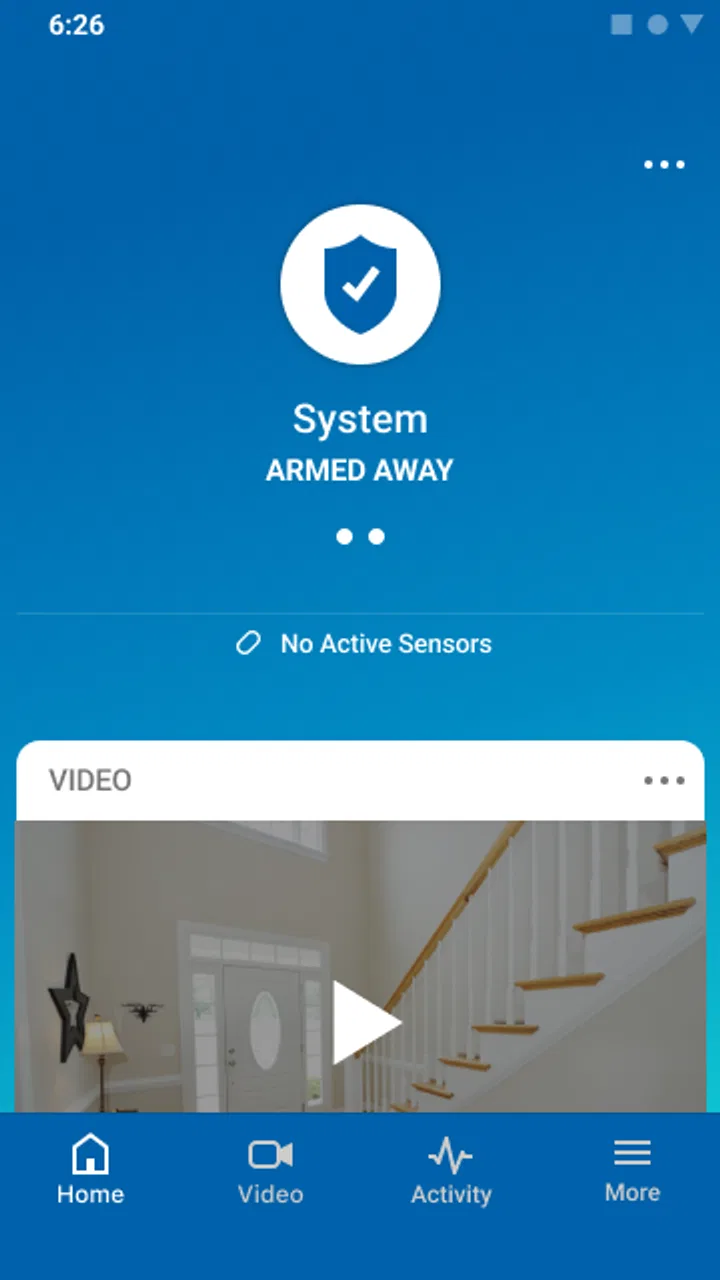
ADT Control is the kind of lifestyle app I would judge less by how attractive its interface feels and more by whether it makes a security routine easier to manage when I am busy, away from home, or already halfway out the door. Developed by ADT LLC, it brings connected home security into a mobile experience instead of leaving the user dependent on a wall panel or a sequence of separate controls. My central takeaway is simple: its real value is turning security from a place-based task into something I can check and handle from wherever I am.
That focus makes the app more useful than a basic remote-control tool. I can think about the home as an ongoing situation rather than a device sitting in one room. The app belongs in the lifestyle category, is free to install, and is rated for Everyone, which makes it approachable for households where more than one person may need a clear way to stay involved. It has also built a substantial user base, with over a million installs and a 4.6 average from around 137 thousand ratings.
There is an important condition, though. This is not a universal replacement for every smart-home app. Its usefulness depends on having an ADT-connected security setup that the app can work with. If I only want to control a few unrelated smart devices, a broader home-automation platform may be a better fit. If I already use ADT equipment, however, the app’s connected approach makes much more sense than juggling a security panel, separate notifications, and unrelated controls.
You May Also Like

 Blood Strike: 2.5 Anniversary
Blood Strike’s Loadouts Turn Every Drop Into a Tactical Gamble
A close look at Blood Strike’s custom loadouts: how fast access to signature weapons reshapes its battle royale rhythm, rewards preparation, and narrows the gap between fights.

 Pandora - Music & Podcasts
Pandora’s Music Is Easy to Start, but Harder to Recover
Pandora’s strength is its low-effort path from a seed to a station. Its weak spot is how much confidence it asks you to place in connection, setup, and quiet recovery.

 8 Ball Pool
 Is Built on Rivalries, Rematches, and Routine
A close look at the rivalries, rematches, shared routines, and unanswered safety questions that turn a quick pool match into a persistent mobile community.

 Samsung Music
’s Quiet Strength Is Playing What You Already Own
Its reach comes less from spectacle than from dependable access to a personal library. That simplicity is both the app’s strongest retention engine and its ceiling.

 AccuWeather: Weather Radar
AccuWeather Review: A Quick, Clear Forecast for Everyday Decisions
For everyday plans, the best forecast is the one you can understand quickly. AccuWeather makes rain timing, radar, and local conditions easy to act on, with a few trade-offs.

 Hill Climb Racing
Why Hill Climb Racing Still Turns Crashes Into One More Run
A tiny car, a bumpy hill and one more upgrade: Hill Climb Racing keeps resurfacing because its simple chaos makes every near-miss feel personal.
More From Our News Desk



Why remote security management matters more than another control screen
The capability that stood out to me is the ability to stay connected to the security side of the home when I am not physically there. That sounds obvious, but it changes the timing of everyday decisions. A traditional alarm panel is useful when I am standing near it. A phone-based control layer is useful after I have left, while I am travelling, or when another person at home needs help without knowing the entire system.
In practice, this means the app can become the place I use to maintain awareness of the home rather than merely activate something at the front door. I am not treating it like a novelty remote. I am using it as a quick checkpoint: did I leave the home in the state I intended, and can I respond without turning around? That shift is the strongest reason to consider it.
The difference is especially noticeable in households with changing routines. One person may leave early, another may return later, and a visitor or family member may need access to the property while the primary user is away. A mobile security app can reduce the need for everyone to gather around one physical keypad. It does not remove the need for sensible household rules, but it can make those rules easier to follow.
I also like the broader idea behind the app: security and connected-home controls belong in the same daily workflow. Instead of thinking about an alarm as an isolated emergency device, I can treat it as part of leaving home, arriving home, checking on the property, and handling an unexpected situation. That is more practical than a dashboard that only feels relevant when something goes wrong.
What the experience feels like during an ordinary day
Imagine leaving for work and realizing, several minutes later, that you are not completely sure whether the home was secured. With a conventional setup, the answer may require going back, calling someone inside, or relying on memory. With ADT Control, the phone becomes the place I would check first. That small moment is where the app earns its place: it addresses uncertainty after the physical routine has ended.
Another realistic example is a delivery or a scheduled visit while I am away. I may not be able to handle the situation from a panel inside the house, but I can still use the mobile connection as the starting point for checking what is happening and deciding what to do next. The benefit is not that the app makes every decision automatically. The benefit is that it keeps the decision within reach.
For a family, the same capability can reduce friction between household members. One person does not have to be the only person who understands the system. When the app is set up and used consistently, the security routine can follow the people who need to manage it instead of being tied to one location.
That convenience also creates a responsibility. A phone is easier to access than a fixed panel, but it is also a personal device that may be misplaced, shared, or left unlocked. I would treat account security and phone security as part of the overall home-security routine. The app can extend control beyond the house, but it cannot compensate for careless access to the phone itself.
How I would build a reliable routine around it
I would not begin by exploring every screen. I would first decide which moments matter most: leaving home, arriving home, checking the property while travelling, and responding when another household member needs help. Then I would make those moments the backbone of daily use. This prevents the app from becoming another rarely opened utility.
A useful habit is to make the app part of the departure sequence rather than an afterthought. I would check the home status before moving away from the property, then use the remote connection only as a confirmation tool when memory becomes uncertain. That approach is less stressful than repeatedly opening the app without a clear purpose.
I would also agree with other users about who is expected to manage the system and when. If several people use the home, everyone should understand the same basic routine instead of assuming that one technically confident person will fix every mistake. The app is strongest when it supports a shared process, not when it becomes a private tool that only one person knows how to operate.
One non-obvious advantage of this approach is that it exposes weak points in the household routine. If I frequently need to check whether the home was secured, the problem may not be the app at all; it may be that the departure process is inconsistent. The mobile view gives me a way to notice that pattern. Used thoughtfully, it becomes a feedback loop for improving habits rather than just a button on a phone.
The best scenario: a connected home with people constantly on the move
ADT Control makes the most sense for someone who already relies on ADT-connected security and spends a meaningful amount of time away from home. A commuter, a parent managing a busy household, or a person who travels regularly can benefit from having security-related control in the same place they already carry throughout the day.
I can also see the value for households where responsibilities are shared but schedules are not. One adult may be at work when another person needs guidance, or a family member may need to verify the home state from outside the property. The app does not make those situations disappear, but it gives the household a common point of reference.
It is less compelling for someone who lives alone, rarely leaves home, and is perfectly satisfied with a physical control panel. In that case, the remote aspect may not justify adding another app to the phone. The same applies to a user who wants an open-ended smart-home controller for devices from many unrelated brands. ADT Control is more focused than that kind of platform.
Another good scenario is travel. When I am away, the value of a security app is not entertainment or constant monitoring; it is reducing the distance between a concern and a possible response. I would still avoid checking obsessively, because an app cannot replace a trusted person or professional support when a real incident occurs. Its role is to keep me informed and connected enough to act sensibly.
For older relatives or less technical household members, the app may be useful if the setup is explained patiently and the routine is kept simple. The Everyone age rating supports broad accessibility, but an age label does not guarantee that every screen will feel effortless to every person. I would introduce it through a few repeatable tasks rather than asking someone to learn the entire connected-home system at once.
The tradeoffs behind the convenience
The first tradeoff is dependence on the connected setup. A mobile interface feels flexible, but it is not magic. Its usefulness is tied to the ADT environment and to the reliability of the connection between the app, the service, and the home. That is why I would keep the physical security routine familiar instead of assuming the phone is the only way to manage the property.
The second tradeoff is attention. Notifications and remote access can make a person feel more in control, but they can also encourage unnecessary checking. I would use the app to answer practical questions and respond to meaningful events, not to turn home security into a constant source of anxiety. The best security workflow is one that is dependable without taking over the day.
There is also a learning curve when a household moves from a simple alarm panel to a connected system. The app may offer a more flexible relationship with the home, but flexibility brings more choices and more chances for confusion. A new user should spend time learning the normal state of the home before trying to manage unusual situations remotely.
Compared with a basic alarm-panel experience, the advantage is clear: the phone is available beyond the house. Compared with a general smart-home hub, the advantage is focus: a security-centered environment is easier to understand when security is the main reason for using it. The compromise is that a general hub may be more attractive to someone whose priority is combining many brands and household functions in one broad automation system.
I would also be careful about judging the app solely by its store rating. The response from thousands of users is encouraging, and the app has around 9.8 thousand written reviews, but security software is highly dependent on the surrounding equipment and the user’s expectations. Someone reviewing the mobile experience may be reacting to installation, account setup, connectivity, or the wider ADT service rather than the interface alone.
The current release is version 5.4.4, and the app supports devices running Android 7.0 or later. That makes it accessible to many existing Android phones, although I would still keep the operating system and app updated when possible. A security-related app is not the place where I would want to postpone maintenance indefinitely, especially if I depend on it during travel.
Who gets the most from ADT Control?
I would recommend ADT Control first to existing ADT customers who want their security routine to follow them outside the home. The app is also a strong match for families that need shared awareness, people who travel, and users who often wonder whether they completed the leaving-home routine correctly.
I would be more cautious about recommending it to someone choosing a security ecosystem from scratch without first considering the equipment and service relationship around it. The app should be evaluated as part of that larger decision, not as an isolated free download. Free installation does not mean the surrounding security setup is irrelevant; the usefulness comes from the connected system it works with.
I would also point a minimalist user toward a simpler option if remote access is not important. A person who wants only a local control panel may find a phone-based layer unnecessary. Similarly, a smart-home enthusiast who prioritizes broad cross-brand automation may prefer a platform designed around device variety rather than security-centered control.
For everyone else, the strongest reason to try it is not the promise of more buttons. It is the reduction of uncertainty. I can leave the house, continue my day, and have a practical way to reconnect with the security routine when circumstances change. That is a modest benefit in calm moments, but a meaningful one when I am travelling, coordinating a busy household, or trying to respond quickly.
ADT Control was released in January 2019 and remains a free lifestyle app from ADT LLC, with a mature presence on Android. My recommendation is therefore specific: use it when remote security management is a genuine part of your life, and judge it by how much effort it removes from your daily routine. If your goal is a clearer connection to an ADT-protected home, this app is worth keeping within easy reach; if your goal is unrestricted smart-home automation, I would look elsewhere.
FAQs for ADT Control ®
01What exactly is ADT Control® and how does it function?
ADT Control® is a comprehensive home automation and security app that allows users to remotely manage and monitor their home security systems. By using the app, you can control alarms, cameras, locks, and other smart home devices from your smartphone or tablet, ensuring your home is secure even when you're away.
02Is ADT Control® compatible with all smart home devices?
ADT Control® is compatible with a wide range of smart home devices, particularly those that integrate with ADT's security systems. However, it’s essential to check the specific compatibility of your devices with ADT Control® to ensure seamless integration and functionality.
03How secure is the ADT Control® app in protecting my data?
ADT Control® employs robust security measures to protect user data, including encryption and secure login protocols. The app is designed to safeguard personal information and ensure that only authorized users can access the system, providing peace of mind for homeowners.
04Can multiple users access the ADT Control® app simultaneously?
Yes, ADT Control® allows multiple users to access the app if they have the appropriate permissions. This feature is particularly useful for families or shared living spaces, where different members may need to control or monitor the home security system independently.
05What should I do if I experience issues with the ADT Control® app?
If you encounter any issues with ADT Control®, you should first check for any app updates that might resolve the problem. Restarting the app or device can also help. If issues persist, contacting ADT’s customer support will provide you with expert assistance and troubleshooting advice.
Pros
- User-friendly interface for easy navigation.
- Real-time alerts for enhanced security.
- Customizable automation settings.
- Seamless integration with smart devices.
- Remote access from anywhere.
Cons
- Subscription required for full features.
- Initial setup can be time-consuming.
- Limited offline functionality.
- Occasional app connectivity issues.
- Some features may require additional hardware.

ADT Control ®
Gallery